How to use Tine
Each deposit opens a numbered position. Here’s how to open one, collect rewards and take your funds back. Read the FAQ.
Make your first deposit
- Connect your wallet. On the dashboard, select Connect wallet and choose your Ethereum account. Keep some ETH for network fees.
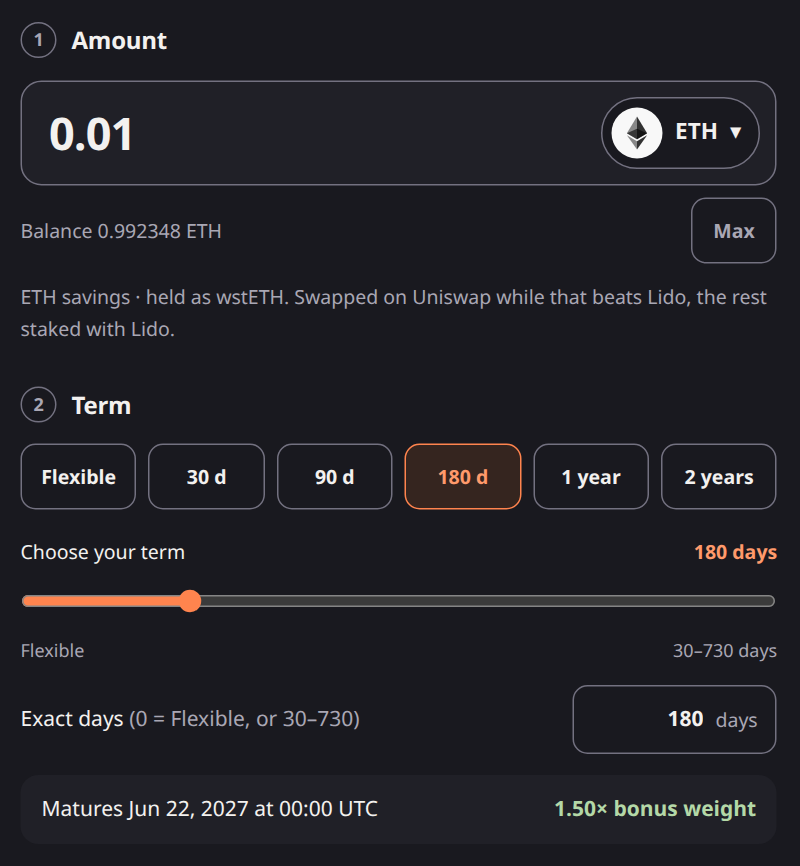
- Choose an amount and a term. Enter an amount in ETH, WETH, stETH or wstETH. Flexible earns TINE only. Choose 30–730 days to also earn a savings bonus, payable on funds you keep until maturity. Either choice lets you withdraw at any time.
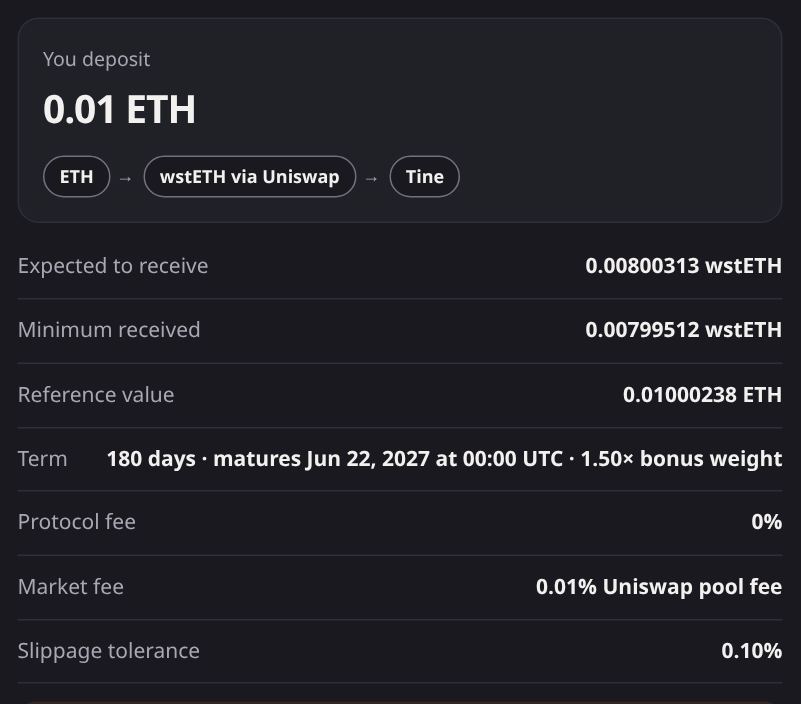
- Review what goes into the pool. Select Review deposit. wstETH goes straight into the pool. For other tokens, check the conversion route, fees and minimum wstETH received. For a fixed term, also check the maturity date in UTC.
- Confirm in your wallet. Select Confirm deposit. ETH needs one transaction. For other tokens, your wallet may first ask you to approve the displayed amount for the savings contract or router. After approval, sign the deposit. Once confirmed, open My positions.
Still pending? Choose Check status in the submitted transaction banner. Keep the transaction hash and wait for confirmation before submitting again.
Add funds to an existing position
Find your position number and select Add funds. Enter your amount and token, then select Review contribution and Confirm contribution.
New funds keep the same maturity and earn the multiplier for the time left. The dashboard accepts contributions to active terms with at least 30 days and one hour remaining. After maturity, new funds stay flexible until you renew.
Claim unlocked TINE
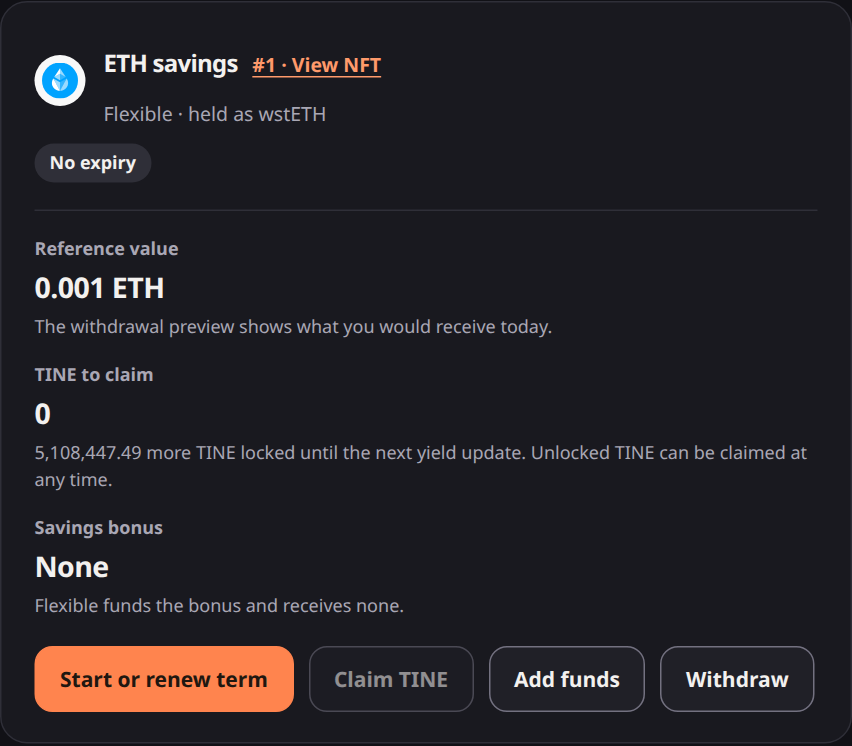
Read TINE to claim, choose Claim TINE and confirm in your wallet. Your deposit stays in place. The separate locked amount unlocks when the pool records new yield.
Withdraw part or all
- Select Withdraw. Choose a percentage of your position or enter an ETH amount to convert to shares. Max closes the position. A partial withdrawal keeps the rest on its existing term. You can still withdraw by percentage if an ETH valuation is unavailable.
- Under Receive as, wstETH is paid directly. For ETH, WETH or stETH, the router handles the conversion. Your wallet may ask you to authorize the router for that position first.
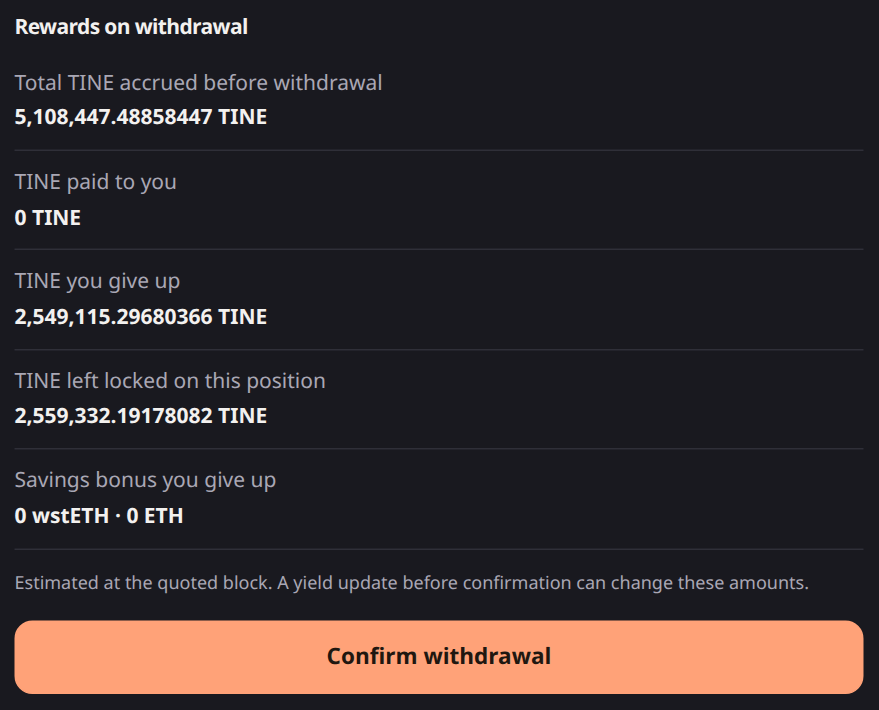
- Select Review withdrawal. You receive unlocked TINE. The part withdrawn gives up its still-locked TINE and any provisional savings bonus. After maturity its vested bonus is paid out. Check the minimum received and the reward amounts, then select Confirm withdrawal.
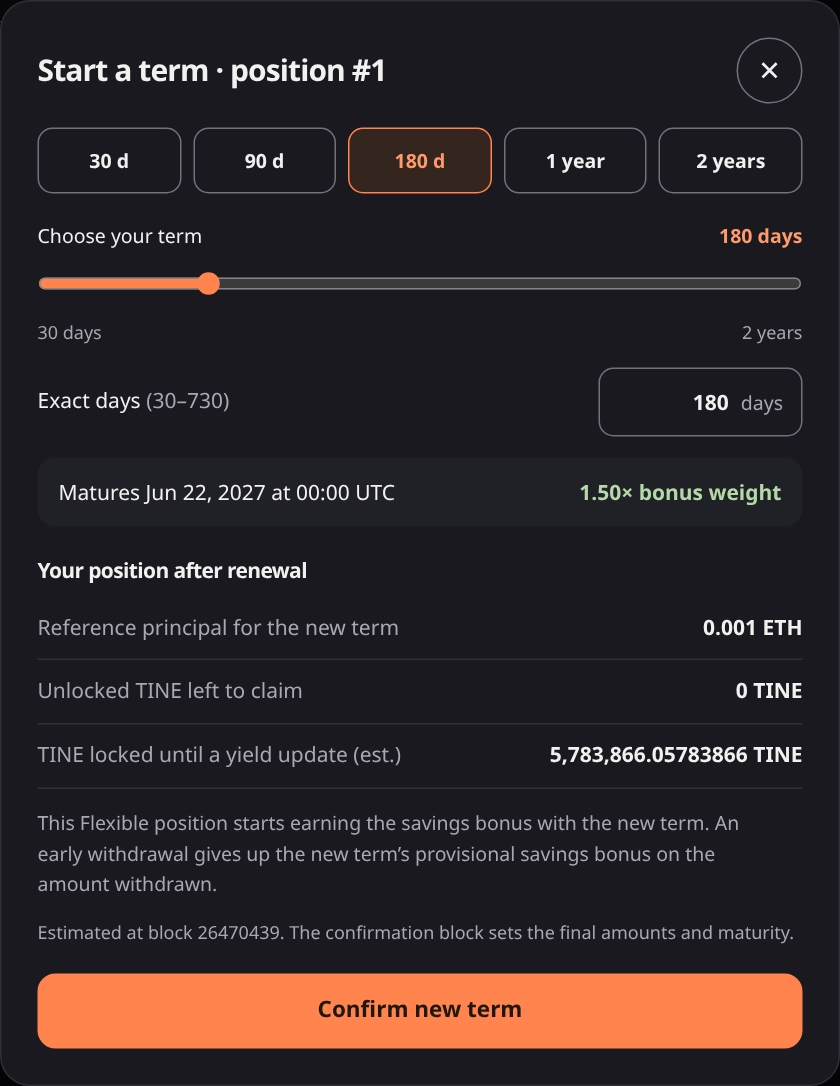
Start or renew a term
At maturity you can leave the position open to keep farming TINE. Choose Renew term to start earning a savings bonus again. On a Flexible position, choose Start or renew term.
Pick a term. Your position after renewal shows any vested wstETH reinvested, the new reference value and your TINE. Select Confirm new term to keep the same position number. If the estimated maturity changes while you review, check the new date and confirm again.